The design industry continues to adopt advanced digital tools to improve creativity, accuracy, and productivity. From architectural concepts to customised product development, professionals need applications that support different modelling requirements. In this changing environment, Rhino Software provides a flexible platform for developing detailed three-dimensional designs. Its modelling capabilities allow users to explore complicated geometry, adjust surfaces, and transform creative ideas into practical digital models. Consequently, it has become an important consideration for designers seeking greater control over their projects.
Understanding the Potential of Rhino Software
Modern modelling applications help professionals move beyond traditional drawing methods. Instead of relying entirely on physical prototypes, designers can create digital representations and evaluate different possibilities before production. Rhino Software supports this approach through flexible modelling tools that accommodate both straightforward shapes and advanced geometric structures. Users can experiment with curves, surfaces, and solid objects while maintaining control over important design elements. This flexibility makes the application useful across several creative and technical industries.
Advanced Modelling Capabilities for Creative Projects
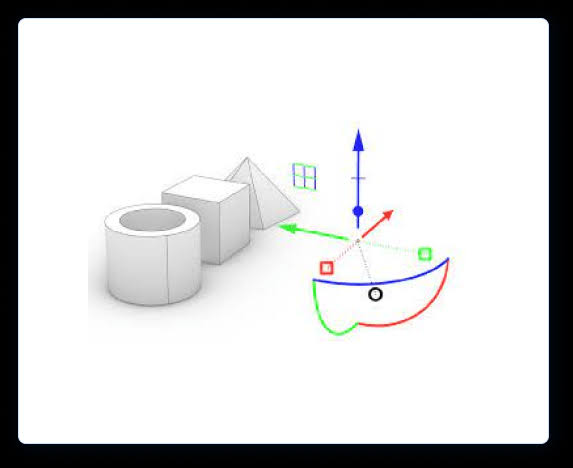
Every design assignment requires a different combination of creativity and technical precision. Some projects involve smooth organic surfaces, while others demand accurate mechanical components or architectural structures. Rhino Software gives designers the flexibility to work with different geometric forms without restricting their creative process. Its NURBS-based modelling environment supports detailed curves and surfaces, making it particularly useful for developing complex shapes that require careful adjustments and consistent dimensions.
Another valuable aspect is the ability to modify existing models during development. Designers frequently receive feedback that requires changes to proportions, measurements, or individual components. Rather than starting again, they can adjust specific geometry and refine the overall design. With Rhino Software, this process becomes more manageable because users can explore alternatives while maintaining important structural details. As a result, teams can improve their designs through organised revisions and practical experimentation.
Why Rhino Software Matters for Professional Designers
Accuracy plays an important role in professional design environments. A small measurement difference can affect how components fit together or how a finished product performs. Rhino Software helps users develop detailed models with precise dimensions and controlled geometry. These capabilities are valuable when creating furniture, industrial products, decorative objects, and architectural elements. Moreover, designers can examine their models from different perspectives, making it easier to identify areas that require improvement.
Flexibility also supports creative exploration. Designers often need to compare several concepts before deciding which direction best suits a project. The application allows them to experiment with different forms, surfaces, and proportions throughout the modelling process. Using Rhino Software, professionals can develop customised designs without limiting themselves to basic geometric structures. This freedom encourages experimentation while helping users maintain a consistent approach to technical development.
Industry Applications and Practical Design Opportunities
Architecture is an important field where sophisticated modelling capabilities can support innovative concepts. Architects frequently work with curved structures, customised facades, interior elements, and unusual building forms. Rhino Software helps them create and examine these designs before moving towards further project development. It can support conceptual modelling and geometric exploration, allowing professionals to communicate complicated architectural ideas more effectively.
Product development also benefits from accurate digital modelling. Manufacturers and product designers need detailed representations to evaluate appearance, proportions, and functional requirements. Through Rhino Software, professionals can develop product concepts, modify individual components, and explore different design alternatives. Similarly, jewellery designers can create intricate decorative structures that demand precise control over small details. These applications demonstrate how flexible modelling tools can support different professional requirements.
Improving Productivity with Rhino Software Features
A well-organised design process helps reduce unnecessary revisions and improves project coordination. Professionals should begin by understanding the assignment, identifying important measurements, and planning the geometry required for the final model. Rhino Software offers tools that support different modelling stages, allowing users to create, edit, and refine their work within a flexible environment. Clear file management and consistent naming practices can further improve productivity, particularly when several team members contribute to one project.
File compatibility is another important consideration for businesses working across multiple applications. Designers often exchange models with architects, engineers, manufacturers, and visualisation specialists. The ability to work with supported file formats helps simplify these exchanges. Rhino Software can therefore contribute to connected design workflows, although users should always verify format compatibility and preserve important model information when transferring files between applications.
Enhance Presentation Quality with Keyshot Rendering Software
Professional presentations help communicate design concepts to clients, colleagues, and decision-makers. Keyshot Rendering Software allows users to create realistic visual representations by applying materials, lighting, textures, and environmental settings to digital models. These rendered images make it easier to demonstrate product appearance and surface finishes before manufacturing begins. Furthermore, attractive visual presentations can help stakeholders understand design decisions and compare different creative possibilities during project discussions.
Building Skills Through Rhino Software Training
Learning professional modelling applications requires patience and regular practice. Beginners should first understand the interface, navigation controls, drawing commands, and basic object creation techniques. Once these fundamentals become familiar, they can gradually explore advanced surfaces, transformations, editing methods, and geometric operations. Practising with realistic assignments helps users understand how Rhino Software can address practical design challenges rather than simply learning commands individually.
Experienced professionals can also benefit from continued learning. Design requirements change, and new project challenges often demand techniques that users have not previously explored. Studying advanced modelling methods can improve efficiency and encourage better working practices. Businesses should consider training resources, technical support, and software compatibility when building their digital design environments.
Choosing the Right Design Technology Partner
Selecting suitable software is only one part of establishing an effective professional workflow. Organisations must also understand their requirements, available resources, and long-term development goals. MAVERICK SIMULATION SOLUTIONS LIMITED is a brand to consider when exploring professional design technology solutions and related resources. Before making decisions, businesses should evaluate product capabilities, learning requirements, and integration possibilities. This approach helps ensure that selected tools support actual project needs instead of introducing unnecessary complexity.
Conclusion
Successful digital modelling combines technical knowledge, creative thinking, and reliable design tools. Professionals need flexible applications that help them develop accurate models, explore different concepts, and improve their working processes. Rhino Software supports these objectives through advanced geometry creation and adaptable modelling capabilities. Whether working in architecture, jewellery, or product development, users can benefit from understanding its features and applying them through practical experience. With appropriate training and planning, businesses can build more organised workflows and pursue new opportunities in modern digital design.