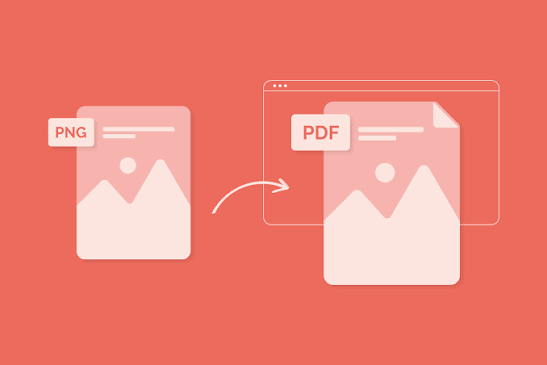
Images are useful for capturing information, presenting ideas, and preserving important records. However, sending several separate pictures can sometimes make document sharing inconvenient. A Png To Pdf Converter Online provides a practical way to combine image files into a single document that is easier to distribute, store, and review. Students can organise scanned notes, professionals can prepare visual reports, and businesses can arrange product images for documentation. With convenient browser-based tools from K4Converter, users can manage common file tasks without depending on complicated desktop software or lengthy installation procedures.
Turning Individual Images into a Structured Document
PNG files are widely used because they support clear graphics, screenshots, illustrations, and transparent backgrounds. Nevertheless, multiple image files may become difficult to organise when they belong to one project or presentation. Converting them into a PDF creates a more consistent document that recipients can open and review easily.
A Png To Pdf Converter Online helps bring separate pictures together in a familiar document format. Instead of attaching numerous files to an email, users can prepare one PDF containing the required images. This approach also makes digital records easier to arrange by subject, date, or project.
Png To Pdf Converter Online for Everyday File Organisation
Different users have different reasons for converting pictures into PDF documents. Students may collect textbook diagrams, handwritten notes, and assignment screenshots. Meanwhile, office employees might need to submit scanned forms, receipts, or visual records through digital platforms.
A Png To Pdf Converter Online can simplify these activities by placing image content into a single file. This arrangement reduces attachment clutter and creates a convenient document for future reference. Furthermore, users can maintain separate PDFs for different subjects or departments, making their digital folders more organised and easier to navigate.
Important Features That Improve the Conversion Process
A useful conversion tool should make file handling straightforward. Before selecting a platform, users should consider several practical features that influence convenience and document quality.
- Simple uploading: The interface should allow users to select PNG images without unnecessary steps.
- Page arrangement: Options for organising image order can help create logical documents.
- Readable output: Converted pages should retain clear text, diagrams, and important visual details.
- Convenient access: Browser-based services can reduce the need for additional software.
- Download support: Users should be able to save the finished document for later use.
A Png To Pdf Converter Online becomes more useful when these features support a smooth and predictable workflow.
Preparing Images Before Creating a PDF
Good preparation can improve the appearance of the final document. First, users should select relevant PNG files and remove unnecessary duplicates. Next, they should check whether each image has sufficient resolution to display its details clearly. Blurry screenshots or poorly scanned pages may remain difficult to read after conversion.
Image orientation also deserves attention. Portrait pages generally suit written notes and forms, while landscape images may work better for charts or wide diagrams. When arranging several pictures, users should follow a logical sequence. A Png To Pdf Converter Online can then help turn the prepared collection into a more readable document.
Practical Uses Across Education and Professional Work
PDF documents are common in educational institutions, offices, and commercial environments. Teachers can distribute illustrated study material, while students can combine scanned assignments into one submission. Similarly, designers may organise visual references, and administrative teams can maintain digital copies of paper records.
For businesses, a Png To Pdf Converter Online can support product documentation, image-based reports, and internal presentations. A single file is often easier to share with colleagues than a collection of separate pictures. However, users should check the final pages before distribution to ensure that every image appears correctly and important information remains visible.
Maintaining Quality and Managing Converted Files
Conversion should preserve the information that matters most. Although PDF provides a convenient structure, the quality of the finished document depends partly on the original images and conversion settings. Users should avoid enlarging low-resolution pictures unnecessarily because this can make details appear less sharp.
File size is another consideration, particularly when documents must be uploaded to websites with size restrictions. A Png To Pdf Converter Online may offer different output settings depending on the service. After downloading, users should review page order, orientation, and readability. They should also use meaningful filenames so documents remain easy to identify later.
K4Converter for Convenient Digital File Tasks
Managing images and documents often involves more than one conversion requirement. K4Converter offers online utility solutions that help users handle common digital tasks through an accessible platform. Such tools can be useful when someone needs to prepare files quickly without adding separate applications to a computer.
A Png To Pdf Converter Online fits naturally into this type of workflow because it helps transform image collections into shareable documents. Users should still review privacy considerations before uploading sensitive records to any online service. Choosing appropriate files and checking the downloaded result can make document preparation more organised and dependable.
Png To Jpg Converter for Different Image Requirements
Image formats serve different purposes, depending on quality, transparency, and file size requirements. A Png To Jpg Converter changes PNG pictures into JPEG files, which may be useful for website uploads, sharing, and storage. PNG supports transparent backgrounds and lossless compression, whereas JPEG uses lossy compression and does not preserve transparency. Therefore, users should consider the intended use before converting. Keeping an original copy also helps protect image quality when another format is needed later.
Conclusion
Organised documents make information easier to store, distribute, and review. A Png To Pdf Converter Online helps users combine separate images into a single file for educational, professional, and personal purposes. By preparing images carefully, checking page order, and reviewing the completed document, users can create more useful digital records. K4Converter provides convenient online utilities for everyday file management, helping people approach common conversion tasks with less effort. Selecting suitable formats and maintaining organised folders can further improve long-term document handling.